All businesses replace computers and storage devices as time goes on. Often, old hard drives are stored in storage spaces, filing cabinets, or unoccupied office areas for months. Companies have been assuming for years that if you format a drive or delete files, they are not sensitive. That is not true. Data may not reveal its presence even if the drive seems empty.
There might be business records, employee information, customer files, financial reports, passwords, contracts and emails left inside an old device. When someone gets access to that information, the repercussions can be severe. Data breaches can impact business operations, compliance and customer trust.
It’s not just about the removal of equipment. It’s also about securing information before it leaves your facility. By opting for certified IT asset recycling services in Worcester, businesses can be assured that their old devices are being processed in a responsible and secure manner.
Why Deleting Files Is Never Enough?
The common myth is that deleting files to the recycling bin or conducting a factory reset will result in the loss of data. Unfortunately, this is not the way storage devices work. The vast majority of deleted file contents can be recovered as long as they are overwritten by new data.
Even when hard drives are no longer operational, they may still hold valuable business information. When in the hands of a skilled individual equipped with the proper tools, even damaged drives can contain recoverable data.
Hence, it is important to have secure destruction before recycling or discarding. Don’t assume that an old device is safe just because it doesn’t turn on.
Responsible recycling and protection of information by a proper disposal process. It also minimizes unwarranted risks which might impact customers, staff and business partners.
Signs Your Business Should Replace Old Hard Drives
Technology is an ever-changing thing. Older storage devices get slower over time, less reliable and can fail unexpectedly. Delaying too long can result in unanticipated loss of data.
Some common signs include:
- Frequent system crashes
- Slow file access
- Clicking or unusual drive noises
- Storage capacity running out
- Equipment reaching the end of its service life
- Older systems that no longer support current business needs
Replacing aging equipment before failure gives businesses more control over their data and operations. Once replacement is complete, secure disposal becomes the next important step.
What Happens During Secure Hard Drive Destruction?
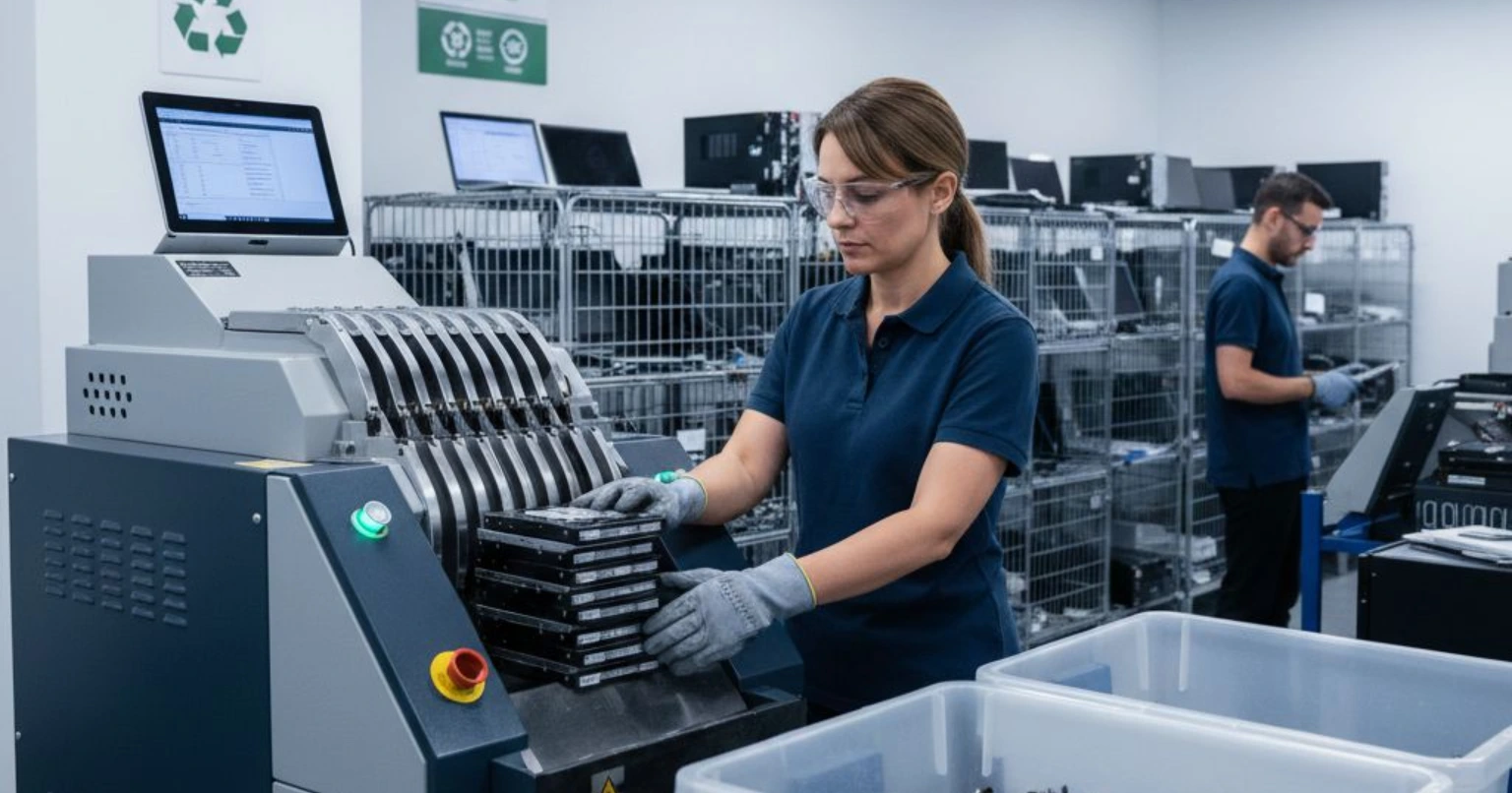
Professional disposal follows a structured process that protects sensitive information from beginning to end. Every step focuses on maintaining security and accountability.
The process may include:
- Collection of retired equipment
- Secure transportation
- Asset tracking
- Data destruction
- Physical destruction when required
- Responsible material recycling
- Documentation of completed services
Each stage reduces the chance of unauthorized access while ensuring retired hardware does not create future security concerns.
Businesses also benefit from working with experienced providers that understand proper handling procedures for information bearing devices.
Why Certified Recycling Matters?
Many organizations focus only on removing old equipment from the office. Responsible recycling goes much further than simple disposal.
Certified recycling helps ensure electronics move through approved recycling channels instead of ending up in landfills or unauthorized locations. Valuable materials can be recovered while reducing unnecessary environmental waste.
Choosing certified IT asset recycling in Worcester also supports businesses that want clear documentation and secure handling throughout the recycling process.
A trusted recycling partner follows established procedures instead of shortcuts. This creates greater confidence that sensitive business information remains protected while equipment receives proper treatment.
Common Mistakes Businesses Should Avoid
Many businesses unintentionally increase their security risks because they overlook small details during equipment disposal.
Avoid these common mistakes:
- Leaving retired computers in unlocked storage rooms
- Giving away old hard drives without destroying data
- Selling used equipment without proper data removal
- Throwing storage devices into regular trash
- Assuming damaged drives no longer contain information
- Waiting years before disposing of outdated hardware
Each of these actions creates unnecessary exposure. A planned disposal strategy helps businesses avoid preventable problems.
Regular reviews of aging equipment also make the disposal process easier to manage over time.
Benefits of Professional IT Hardware Disposal
Professional services provide much more than equipment collection. They create a secure process that protects both business information and physical assets.
Some important advantages include:
- Better protection for confidential information
- Organized asset management
- Responsible electronic recycling
- Reduced storage of unused equipment
- Improved compliance support
- Clear documentation of completed work
- Greater peace of mind for business owners
Many organizations also save valuable office space after removing outdated computers and storage devices.
Working with experienced providers offering IT hardware disposal solutions in Worcester helps businesses simplify equipment retirement while reducing unnecessary risks.
Planning Ahead Makes Disposal Easier
Businesses often replace equipment during office upgrades, technology refresh projects, relocations, or system improvements. Planning disposal before these projects begin creates a smoother process.
Keeping an inventory of storage devices helps organizations identify equipment ready for retirement. Scheduled disposal also prevents old hardware from accumulating throughout the office.
Employees should understand that retired devices remain sensitive until secure destruction is complete. Internal awareness reduces accidental mistakes during equipment replacement projects.
Building disposal into regular technology planning keeps information protected while supporting responsible asset management.
The Bottom Line
Old business hard drives deserve the same level of protection as active systems. Simply deleting files or storing unused equipment is not enough to safeguard confidential information. Secure destruction helps reduce the risk of unauthorized data recovery while supporting responsible electronic recycling.
GB Solutions Inc. provides dependable services that help businesses retire technology with confidence. Whether your organization needs certified IT asset recycling or reliable IT hardware disposal solutions in Worcester, our team follows secure processes that protect valuable information while supporting environmentally responsible recycling. Proper disposal is an investment in your company’s security, reputation, and long term success.